



WordPress is my number one choice for building all types of websites, but I particularly love using it to build directory websites.
A directory website is an online platform that lists businesses, services, people, or resources. These listings are typically grouped and organised in different ways, such as by type, category, or location, allowing users to quickly browse and find exactly what they’re looking for.
Directory websites need to be built in a way that makes navigation easy, content well-structured, and listings accessible, both for visitors to the website and for the website owner and administrators responsible for managing them.
In this post, I explain why I believe WordPress is the perfect platform for powering a directory website.
Custom post types for grouping and organising directory listings
In WordPress, a post type is simply a type of content. By default, WordPress comes with standard post types like “Pages” and “Posts”, but it’s also possible to add additional post types to help you organise other types of content.
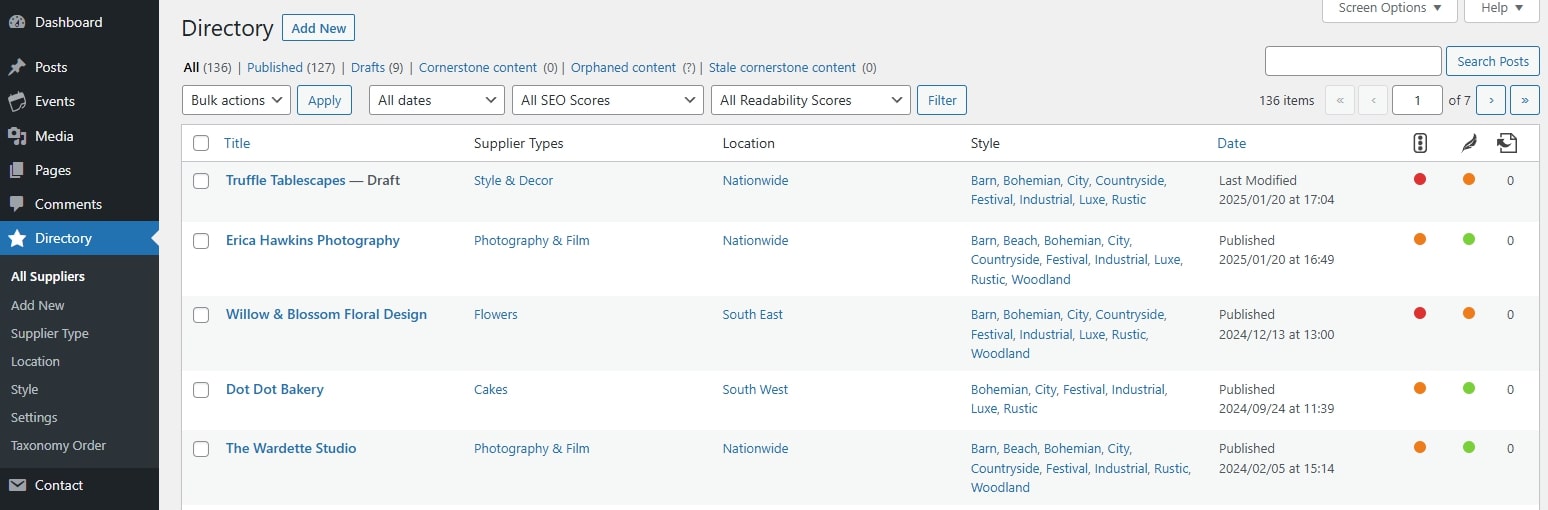
When we build a directory websites using WordPress, we can create a custom post type specifically for the directory listings that is separate from the default pages and blog posts.
There are many benefits to using a custom post type for directory listings. For example, it allows us to structure the individual listing pages differently to standard pages and blog posts without using messy workarounds.
Behind the scenes it helps to keep everything organised in the admin area with all the listings living in their own section.
Custom taxonomies for categorising directory listings
To take things a step further, WordPress lets us create custom taxonomies. Taxonomies allow us to categorise and group content within a post type.
WordPress includes “Categories” and “Tags” by default for blog posts, but for directory listings, we can create our own taxonomies that are specific to the contents of the directory
For example, I set up a wedding suppliers directory on the Unique Rebels Union website, and they wanted users to be able to organise by the type of supplier (e.g. venues, food and drink, fashion, stationery, etc), their location, and their style (e.g. bohemian, rustic, industrial, etc).
So I created a custom post type called “Directory” and created custom taxonomies called “Supplier Type”, “Location” and “Style”.
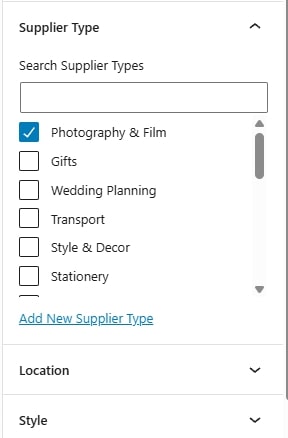
Each listing can be assigned multiple terms from each taxonomy, just like assigning categories and tags to blog posts. The website owner or administrators can also easily add additional supplier types, locations and styles if they wish, as the directory grows and evolves.
Search, filter and sort functionality
One of the major advantages of using custom post types and taxonomies in WordPress is how easily we can build powerful search and filter features on the front end of the website.
On the Unique Rebels Union website, we used the custom post type and taxonomies we set up to build out completely bespoke search and filter functionality that makes browsing the directory a breeze.
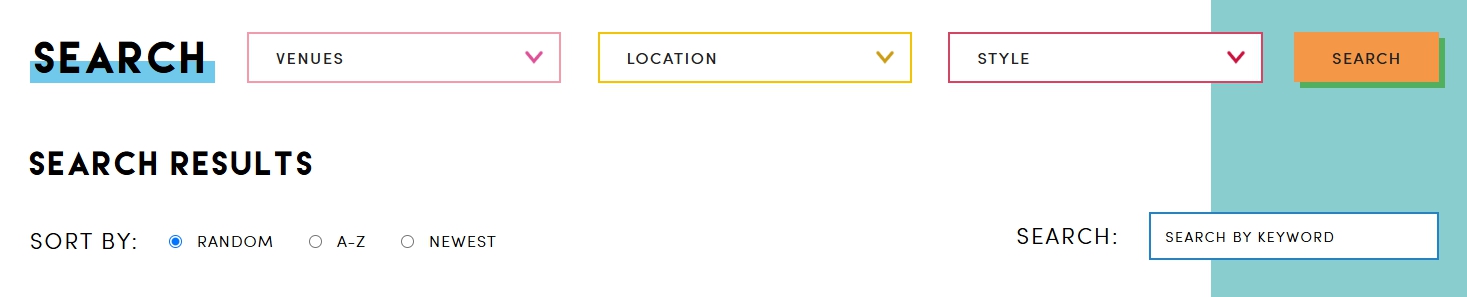
Users can select a category (supplier type), location and style from the dropdown lists, or use the search form to search using a keyword, and from here they will be taken to a search results page that shows suppliers that match their search query.
They can also sort and order the results. By default, the results are shown in a random order, but they can choose to see the results in alphabetical order, or choose to see the newest listings first.
Automate listing creation and management with user accounts and front-end forms
In some cases, directory website owners may want to take complete responsibility for adding and managing listings on their website.
They may have a system where businesses looking to add a listing to the directory can apply by filling out a form on the website with all the relevant details, and if the website administrators accept the application, they can manually add their listing to the directory.
However, some directory website owners prefer to automate as much of their onboarding processes as possible. They may want a system that allows business owners to submit their details for their listing and create an account on the website so that they can manage their own listing themselves going forward.
The beauty of using WordPress is that it allows us to create automated systems like these. We can build out registration forms that allows users to create their own account on a website, with a username and password so that they can log in and access their information. We can also create front-end forms that allow users to both add and edit their own listings without them ever needing to access the WordPress admin area.
It is also possible to create a moderation process so that submissions for new listings and updates to existing listings must be reviewed and approved by a website administrator before the changes are reflected on the live website.
Sell memberships or subscriptions for listings
WordPress makes it easy to monetise directory websites in various ways with the help of membership and ecommerce plugins.
For example, we can set up a system that charges businesses a one-off fee to be included in the directory, or we can set up a subscription so businesses pay monthly or annually to be included. We can even set up different tiers or levels with different prices which will give businesses access to different features and benefits.
Are you ready to outsource your website development?
If you’re a web designer who loves creating beautiful websites but hates the coding side of things, I can help!
I specialise in turning designs into fully-functioning WordPress websites that not only look beautiful but that are also functional, strategic and fast.
Learn more about collaborating with a developer
Join my free email community for regular insights into working with a web developer, advice for designing strategic websites, and other behind the scenes bits and bobs.


